
VeivoVerse: AI Video Generator
WeTonePhotography
3.614.00 Reviews
- Version
- 2.4
- Installs
- 10.00K
- Age Rating
- Everyone
Screenshots
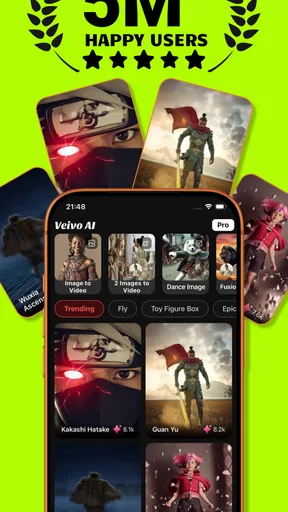
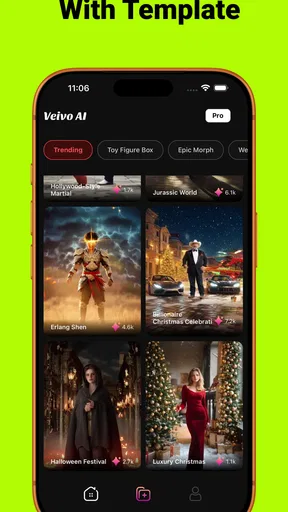
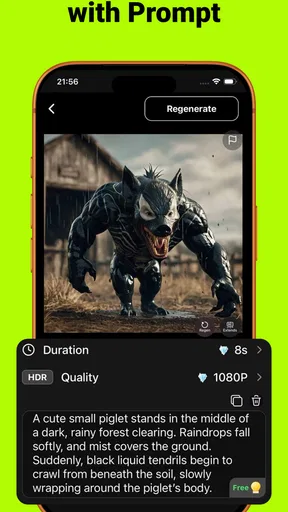
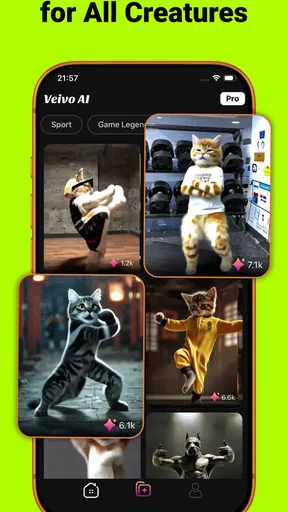
Our Review of VeivoVerse: AI Video Generator
 Analysis by Appyee
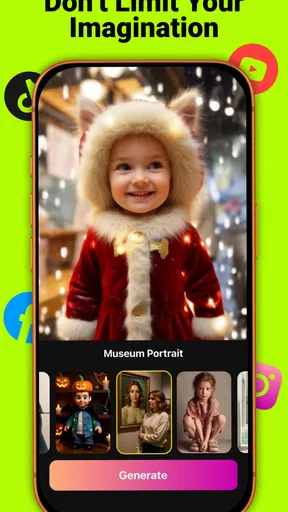
I tested VeivoVerse: AI Video Generator as a photography app from WeTone, and my first impression was that it is aimed at people who want to turn ordinary images into something more expressive without opening a full desktop editor. Its store summary focuses on creating effects for photos, while the short label “VeivoVerse” gives the app a more creative, experimental identity. In practice, I would place it in the space between a quick photo-effects tool and a more ambitious AI media editor.
The most useful way to understand it is not as a complete replacement for a professional video suite. I see it as a convenient creative layer for people who already have pictures on their phone and want to explore animated or stylized results. That makes it interesting for casual posts, personal projects, invitations, mood boards, and small household collaborations where one person supplies the image and another chooses the visual direction.
How VeivoVerse fits into a shared household workflow
A realistic example is a family preparing a birthday message. One person may have the original portrait, another may want a more colorful treatment, and a teenager may be interested in turning the final image into something suitable for social media. An app like this can make that exchange more approachable than asking everyone to learn a conventional editor.
I would keep the workflow simple: choose a copy of the original photo, experiment with an effect, review the result together, and save only the version that feels right. That “copy first” habit matters because creative apps often encourage quick experimentation, and the best result is not always the first one. Keeping the untouched image separate also makes it easier to return to the project later or try a completely different style.
On a shared device, the main boundary is practical rather than technical. I would not assume that every person using the phone has the same preferences, storage needs, or comfort with AI-generated media. A child might treat the app as a toy, while an adult may be using it to prepare a personal announcement. Agreeing on which images are suitable before importing them avoids awkward surprises and keeps the app’s role clear.
Because the app is free to install, it is easy to try without making an immediate purchase decision. However, the presence of in-app purchases ranging from $2.49 to $199.99 per item means I would not hand the phone to a child and leave purchasing entirely unattended. The safest household routine is to let the person explore the creative side while an adult handles any payment prompt and decides whether an upgrade is worthwhile.
Starting with the right kind of photo
The quality of an effect depends heavily on the source image. I would begin with a well-lit picture containing one clear subject, rather than a crowded group shot with overlapping faces and complicated backgrounds. This is not a promise that every effect will behave perfectly; it is simply the most reliable way to judge what the app is doing instead of blaming the tool for a difficult input.
For a shared project, I recommend making three folders or albums outside the app: originals, experiments, and final selections. That small bit of organization is more valuable than it sounds. It prevents a household member from accidentally editing the only copy and makes it obvious which file is ready to send. It also lets several people compare creative choices without repeatedly starting from scratch.
One less obvious advantage of this approach is that it changes the app from a one-person novelty into a lightweight review process. The person who owns the photo does not have to accept the first generated look. They can compare variations, ask why a particular effect works, and decide whether the result still represents the subject. For portraits especially, that final judgment should belong to the person shown in the image.
Boundaries before anyone starts creating
VeivoVerse is marked for Everyone, which makes it approachable for a broad audience, but an age label should not be confused with a complete household policy. Younger users may understand how to tap through an effect workflow without understanding what it means to share a transformed image publicly. I would explain that an edited picture can still reveal someone’s identity, location, school, or routine.
I would also establish a simple rule for shared devices: do not import another person’s private photo merely because it is available in the gallery. Ask first, particularly with personal portraits, screenshots, or images received in a private conversation. This is a more useful boundary than treating the app as harmless simply because it belongs to photography.
Another sensible rule is to review the output before posting it anywhere. AI-style effects can produce results that are funny in a private group but embarrassing in public. A household can avoid many problems by separating creation from sharing: experiment freely in a private space, then pause before sending the result to friends or publishing it.
I would be especially careful with school-related images, medical situations, identity documents, and photos containing other people who have not agreed to participate. The app’s creative purpose does not remove the responsibility attached to the original image. If the goal is only to test an effect, use a non-sensitive picture instead.
Coordinating creative choices without stepping on each other
Shared use works best when people divide the task. One person can select the source image, another can suggest the mood, and a third can compare the finished versions. That division prevents the familiar phone problem where several people make changes but nobody knows which file is the preferred one.
I would name saved files with a plain description such as “portrait-soft,” “birthday-color,” or “travel-dream,” rather than relying on memory. This is particularly helpful when the same photo is tested with several effects. It also makes discussion easier: instead of saying “the second one,” someone can point to a clear version and explain what they like about it.
A useful trade-off appears here. More experimentation can produce a more personal result, but too many variations can make the group lose sight of the original purpose. For a greeting or invitation, I would limit the shortlist to a few strong candidates. For an art project, I would allow more freedom. The app is better when it supports a decision than when it becomes an endless stream of nearly identical outputs.
Households should also decide who has the final say. If the image is of one person, that person should be able to reject a result even if everyone else finds it amusing. If it is a shared family image, agree before editing whether the purpose is private enjoyment, a printed keepsake, or public posting. The same effect can feel appropriate in one setting and uncomfortable in another.
What the app offers compared with familiar alternatives
Compared with a standard photo editor, VeivoVerse is more appealing when the user wants an effect-driven experiment rather than precise control over exposure, cropping, layers, or retouching. Traditional editors remain the better choice for correcting a photograph carefully, preparing a print, or making exact changes. I would use those tools first when accuracy matters.
Compared with a full video editor, this app seems more approachable for a person who starts with a still image and wants a creative result without managing a timeline, multiple tracks, transitions, and audio. That simplicity is a strength for casual users, but it also means experienced editors may find the workflow too limited for detailed production work.
Its position is therefore quite specific: it can be a friendly first step for visual experimentation, especially on a phone shared among people with different skill levels. It is less suitable for a creator who needs repeatable professional output, exact frame control, or a carefully managed production pipeline. I would not choose it as the only tool for a client project or an important archival task.
The app’s average rating is 3.6 from around 160 ratings, with 14 written reviews, and its reach is still modest at over 10 thousand installs. I read those figures as a reason to keep expectations measured rather than as a verdict by themselves. There is enough interest to make trying it reasonable, but not enough evidence for me to treat it as a universally dependable standard in mobile photography.
Version, access, and the practical cost question
The current version is 2.4 and it runs on Android 7.0 or later, so compatibility should cover many older phones as well as newer devices. That is helpful in a household where the shared device is not the newest model. Still, an older phone may feel slower when handling demanding visual processing, so I would close unused apps and keep sufficient storage available before starting a larger experiment.
The app itself is free, which lowers the barrier for a trial session. The important distinction is between trying the basic experience and deciding to spend money on additional items. Since individual purchases can range from a small amount to $199.99, I would inspect each purchase screen carefully and avoid assuming that every creative option is included at no cost.
For a family, I would set a clear spending rule before anyone begins: free exploration is allowed, purchases require the device owner’s approval, and no one should enter payment details simply to see what an option does. This is especially important when several people use the same phone and the person tapping the screen is not the person responsible for the account or card.
I also prefer to treat the app as a place for temporary experiments until the household understands its workflow. Save important originals elsewhere, review finished work before deleting anything, and do not make the app the only home for meaningful photos. That is good practice for any creative mobile tool, but it is particularly useful when multiple people share access to one gallery.
Age, trust, and responsible creative use
The Everyone rating makes VeivoVerse approachable for general household use, but trust still depends on supervision and conversation. A younger user may need help distinguishing an imaginative effect from a faithful representation of a person. I would explain that a transformed face or scene is an edit, not evidence of something that really happened.
That distinction becomes important when children create images of classmates, relatives, or teachers. Even a playful result can be unwelcome if the subject did not agree. I would encourage users to practice with their own pictures, landscapes, pets, or fictional concepts before involving other people.
Adults should also model restraint. If a parent asks a child not to alter someone else’s photo, that rule should apply equally to the parent. Shared creative tools work best when permission is treated as part of the process, not as an obstacle that only younger users have to face.
For older relatives who are less comfortable with AI-style tools, the app can still be introduced gently. I would show the original and edited versions side by side, explain that the result is an effect, and let the person decide whether they want to keep or share it. The goal should be participation, not pressure to accept a digital transformation.
Who will enjoy VeivoVerse most
I think the app is a good match for casual photographers, families making personal greetings, and users who enjoy testing visual ideas without learning a complex editor. It can also suit someone who has a gallery full of ordinary pictures and wants a quick way to revisit them creatively. The strongest use cases are low-pressure: private experiments, playful messages, themed image collections, and small collaborative projects.
It is less convincing for photographers who care about precise retouching, consistent color, or a dependable export routine. It is also not my first recommendation for serious video creators who need editing structure rather than effect exploration. If your priority is control, a conventional photo editor is likely better. If your priority is a complete production timeline, choose a dedicated video editor instead.
I would also ask whether the household actually wants AI-generated visual changes or simply needs basic photo improvements. If the answer is cropping, brightness correction, and removing distractions, a simpler editor may be faster and easier to understand. VeivoVerse earns its place when the creative transformation itself is the reason for opening the app.
My household verdict
After using it as a photography tool, I see VeivoVerse as an accessible creative experiment rather than an all-purpose media studio. Its free entry point, broad age rating, and support for Android 7.0 or later make it easy to consider for a shared phone, while the purchase range means adults should remain in charge of spending decisions.
My recommendation is to use it with clear boundaries: work from duplicate images, ask permission before editing someone else’s portrait, keep originals outside the experiment folder, and review every result before sharing. Those habits make the app more enjoyable and reduce the friction that can appear when several people use one device.
The best reason to try VeivoVerse is controlled creative play, not professional precision. If that matches what you want, WeTone’s app is worth exploring. If your household needs exact editing, advanced video production, or a tightly managed archive, I would choose a more specialized alternative and keep this one as an occasional effects tool.
Verdict
Strengths of VeivoVerse: AI Video Generator
- Creates short AI videos from simple text prompts.
- Useful for experimenting with creative concepts quickly.
- Can help produce social media content without filming.
- Supports rapid variations for testing different ideas.
- Accessible for users with limited video-editing experience.
Limitations of VeivoVerse: AI Video Generator
- AI results may not always match the prompt accurately.
- Rendering times can vary depending on demand and video complexity.
- Free usage may be restricted by credits, limits, or watermarks.
- Generated clips may contain visual glitches or inconsistent details.
- Advanced customization may be limited compared with professional editors.
Similar Picks in This Category
View All
Google Photos
Google LLC4.4

Gallery
Google LLC4.2

Picsart AI Photo Editor, Video
PicsArt, Inc.3.9

B612 AI Photo&Video Editor
SNOW Corporation4.1

BeautyPlus-Selfie Photo Editor
PIXOCIAL TECHNOLOGY (SINGAPORE) PTE. LTD.4.5

Remini - AI Photo Enhancer
Bending Spoons4.1
Frequently Asked Questions
What is VeivoVerse: AI Video Generator, and what can it create?
VeivoVerse: AI Video Generator is designed to help users produce short videos with artificial intelligence instead of recording and editing every element manually. Depending on the tools available in the current version, you can typically start with a text prompt, image, or concept and generate visual scenes, animated content, or social-media-ready clips. It is most useful for quick creative experiments, marketing ideas, storytelling, and content drafts.
Is VeivoVerse suitable for beginners without video-editing experience?
Yes, the app is aimed at users who want a simpler alternative to traditional video-editing software. Its guided workflow and prompt-based creation can make it approachable for beginners, while more experienced creators may use it for rapid concept development. However, the quality of the result depends heavily on how clearly you describe the desired subject, style, motion, and format, so some trial and error is still expected.
Does VeivoVerse: AI Video Generator require an internet connection?
An internet connection is generally required because AI video generation is usually processed on remote servers rather than entirely on the phone. This means generation speed can vary according to your connection, server demand, and the complexity of the request. Before downloading, users should also check whether the app limits certain features when offline and whether mobile data usage could become significant during repeated video generation.
Is VeivoVerse free to use, or does it include subscriptions and in-app purchases?
The app may offer free access with limits, such as a restricted number of generations, lower output quality, watermarks, or access to only selected styles and tools. Additional credits or premium features may require in-app purchases or a subscription. Pricing, trial conditions, and available plans can change, so review the current Google Play or App Store listing carefully before starting a trial or confirming a payment.
What should I know about privacy, copyright, and the videos generated with VeivoVerse?
Before uploading personal photos, business materials, or copyrighted images, read the app’s privacy policy and terms of service. AI services may process uploaded content on external servers, and the rights or permitted uses of generated videos can depend on the platform’s rules and your subscription level. Avoid using someone’s likeness or protected media without permission, and verify commercial-use conditions before publishing generated content.
